In an era where our digital lives are fragmented across dozens of platforms, maintaining a cohesive personal record has become increasingly difficult. Today, the developers behind Day One, the industry-leading journaling application, have announced a transformative update: a direct, secure integration with Zapier. This new partnership promises to bridge the gap between our daily digital interactions and the act of mindful reflection, allowing users to automate the capture of their lives without sacrificing the intimacy or privacy that has defined the platform for years.
The integration is available starting with version 2025.23 of Day One, requiring a Premium subscription. It empowers users to build "Zaps"—automated workflows that route data from over 8,000 supported applications directly into their private journals.
The Core Innovation: A Connected Journal
The fundamental challenge of modern journaling is friction. Most people intend to track their habits, save articles for later, or document their professional progress, but the manual process of copy-pasting information from one app to another often leads to abandonment.
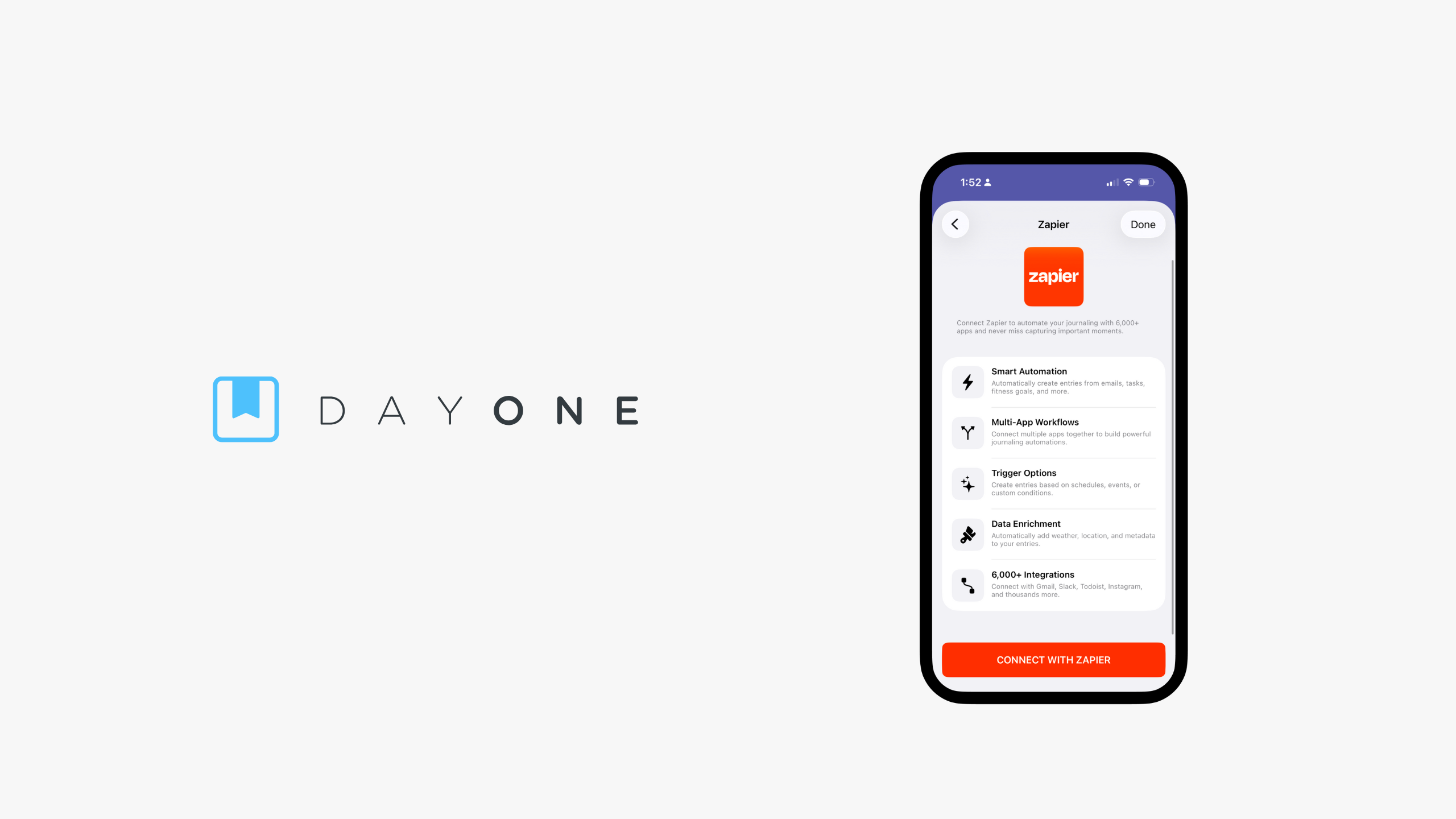
By integrating with Zapier, Day One is evolving from a standalone repository into a central hub for a user’s digital footprint. Whether it is archiving completed tasks from Todoist, saving important emails from Gmail, or capturing social media posts for posterity, the journal now functions as an "automatic memory" that works in the background. This shift marks a significant milestone in personal knowledge management (PKM), allowing users to spend less time managing their data and more time deriving insights from it.
Chronology: From Static Entries to Dynamic Flows
The development of this integration follows years of user requests for deeper interoperability.
- Pre-2025: Day One functioned primarily as an intentional, manual journaling space. Users relied on third-party shortcuts or manual entry, which were often cumbersome.
- Early 2025: The engineering team at Day One began prioritizing "ambient logging"—the concept that a journal should capture data points throughout the day without the user needing to pause their workflow.
- November 2025 (Current Launch): The release of version 2025.23 introduces the official API connection to Zapier. This deployment allows for high-level authentication, ensuring that the connection between the two services is encrypted and scoped strictly to "write-only" capabilities.
- The Future Roadmap: With this foundation, the company aims to expand the types of metadata that can be pulled into entries, potentially including deeper geolocation tags, biometric health data, and more granular integration with smart home devices.
Supporting Data and Technical Architecture
The integration is built upon a robust API structure that balances convenience with extreme security. According to the technical documentation released alongside the update, the connection supports two primary actions: Create Journal Entry and List Journals.

To maintain the sanctity of user privacy, the architecture is explicitly one-way. Zapier acts as a "writer" that can push information into a specified journal, but it lacks the "read" permissions necessary to browse or export existing entries.
Key Technical Specifications:
- Security: All entries created through Zapier are treated with the same end-to-end encryption as manual entries.
- Scope: Zapier can access journal IDs, display names, and email addresses for configuration purposes, but it cannot access the actual text or images stored within the encrypted database.
- Compatibility: The feature is live on iOS, Android, and Web platforms for all users running the latest version.
- Formatting: The system supports Markdown, enabling users to inject complex formatting, bullet points, and hyperlinks into their automated logs, ensuring the journal maintains its aesthetic and structural integrity.
Official Perspective: Privacy as a Pillar
In an official statement, the Day One development team emphasized that this automation does not compromise their "privacy-first" mission.
"We understand that a journal is the most private space in a person’s life," the team noted in a press release. "Integrating with a third-party service like Zapier required us to rethink our security architecture. By restricting the API to ‘write-only’ access, we have ensured that our users can enjoy the benefits of automation while resting assured that their deepest thoughts remain inaccessible to outside parties, including Zapier itself."

The company has also addressed the "What-If" scenarios. If a user deletes a journal or revokes their API key, the connection is instantly severed. There is no lingering data footprint, and no data is sent from Day One back to the Zapier ecosystem.
Implications for the User Experience
The introduction of this feature changes the "Why" behind journaling. For the professional, it means creating a "Work Journal" that automatically aggregates meeting notes from Slack or calendar events from Google. For the student, it means an automated "Research Journal" that collects every saved article from Pocket or Readwise.
The "Ambient" Advantage
The most significant implication is the shift from "active" to "ambient" journaling. Traditional journaling requires a high cognitive load—the user must sit down, find the app, and write. With the Zapier integration, the barrier to entry is effectively zero. A user can go about their day, and by the time they open Day One in the evening, their journal is already populated with the context of their day.

Enhanced Productivity
For power users, the ability to use variables—such as entry dates, specific tags, and custom templates—means they can create highly structured data logs. An athlete could, for instance, have their Strava workouts automatically imported into a "Fitness" journal, complete with duration, distance, and a summary.
Getting Started: A Step-by-Step Guide
To leverage this new functionality, users must ensure their app is updated to version 2025.23 or higher.
- Subscription Check: Confirm your status as a Day One Premium member.
- Authentication: Open the Day One app, navigate to Settings, and select the Zapier connection portal.
- Authorization: You will be prompted to log in to your Zapier account via a secure browser window. This authorizes Day One to act as an "Action" app within the Zapier ecosystem.
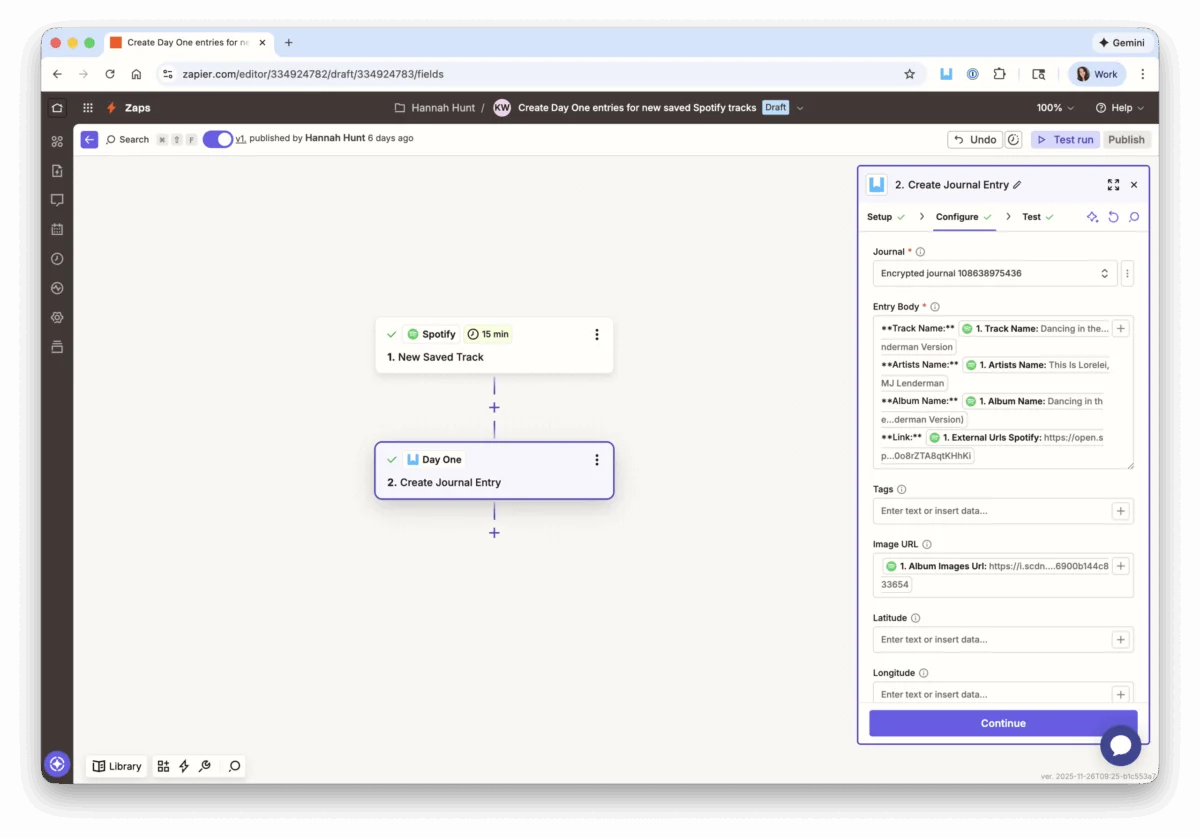
- Workflow Creation: Visit the official Day One template gallery on Zapier. With over 30 pre-built templates, users can hit the ground running. Simply select a template—such as "Save completed tasks to Day One"—and map your desired source app to your target journal.
- Refinement: Use the Zapier editor to customize the entry format. Use Markdown to ensure that the incoming data is readable and organized according to your preferences.
Frequently Asked Questions (FAQs)
What happens if an automation fails?
Zapier monitors all workflows in real-time. If an entry fails to post due to a connectivity issue, you will receive an alert in your Zapier dashboard, allowing you to debug and replay the trigger without losing the data.

Can I use this with a free Zapier account?
Yes, basic automations are compatible with the free tier of Zapier. However, advanced, multi-step workflows or high-volume usage may require a paid subscription to the Zapier platform.
Will this fill up my journal with clutter?
The system is designed with control in mind. You choose which journal receives the data. Many users create a specific "Log" journal for automated content, keeping their main personal journal for manual, long-form reflection.
Does this violate the end-to-end encryption of my journal?
Not at all. The data is encrypted at the point of ingestion. Once the entry is created by the API, it is encrypted using your unique key, ensuring that only you can read the content on your devices.

Conclusion
The integration of Day One and Zapier is more than just a software update; it is an acknowledgment that the modern life is too fast to be recorded by hand alone. By blending the structure of automation with the sanctity of a private journal, Day One has set a new standard for how we document our existence. Whether you are a minimalist who wants a simple record of your day or a data-driven professional looking to optimize your life, this new capability provides the tools to make your journal a more accurate, comprehensive, and meaningful reflection of your life.
As we continue to navigate a digital-first world, the ability to synthesize our fragmented data into a cohesive narrative is an invaluable asset. Through this partnership, Day One is ensuring that your story is not just saved—it is captured effortlessly.