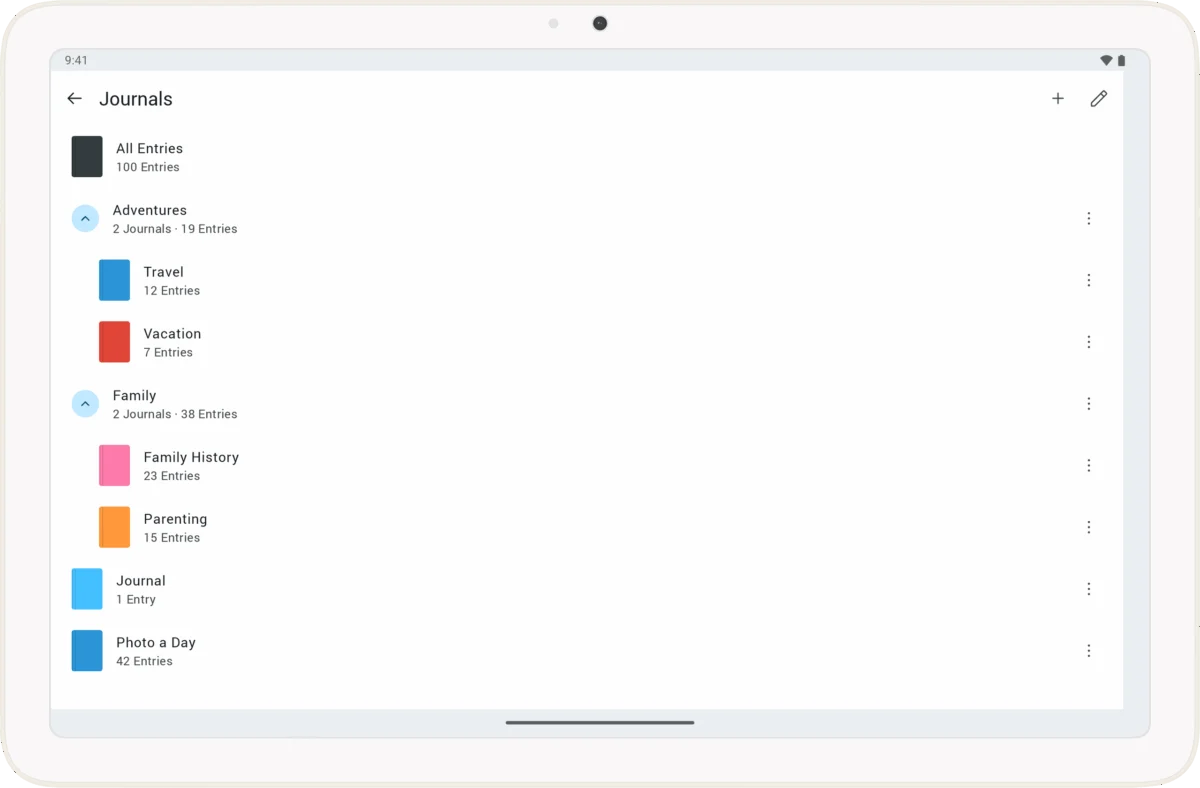
For the dedicated digital diarist, the journaling process is rarely a one-size-fits-all endeavor. It is a fragmented mosaic of life: a professional log for project management, a whimsical travelogue for weekend getaways, a rigorous gratitude practice for mental clarity, and perhaps a private repository for parenting milestones. As these distinct streams of consciousness evolve, so too does the complexity of the digital infrastructure required to house them.
Recognizing that a cluttered interface can become a barrier to creative expression, Day One—the industry-leading journaling application—has officially launched "Journal Collections." This new organizational feature is designed to provide users with a sophisticated, intuitive method for categorizing their journals without altering the fundamental mechanics of the platform.
The Evolution of the Digital Archive
The history of journaling apps has largely been defined by a linear, chronological progression. Early iterations of Day One focused on the singular entry: capturing the "now." However, as the user base matured, the requirements shifted from simple documentation to comprehensive life-logging.
Over the past decade, power users have increasingly utilized Day One as a multi-faceted database. With the addition of media support, encryption, and cross-platform syncing, the platform transformed from a digital notepad into a life-organizing suite. Yet, as the number of individual journals grew, the sidebar—the primary navigation hub of the application—began to suffer from "information overload." A user juggling ten or fifteen distinct journals often found themselves scrolling through a dense, unorganized list, which can inadvertently discourage the very habit the app seeks to foster: the act of reflection.
The introduction of Journal Collections is the latest step in a multi-year effort by the Day One development team to refine the user experience. By acknowledging that users maintain different "systems" for their various life spheres, the company is pivoting from a tool that simply records data to one that curates it.
What Are Journal Collections?
At its core, a Journal Collection is a flexible, container-based organizational tool. It allows users to group disparate journals under a single, collapsible heading. This architecture is designed to be purely cosmetic regarding the data, meaning that while the visual representation changes, the underlying integrity of the entries, the synchronization process, and the notification system remain untouched.
Key Functionality and Structural Mechanics:
- Hierarchical Organization: Users can now categorize journals by theme—such as "Personal," "Professional," "Family," or "Archives"—directly within the sidebar.
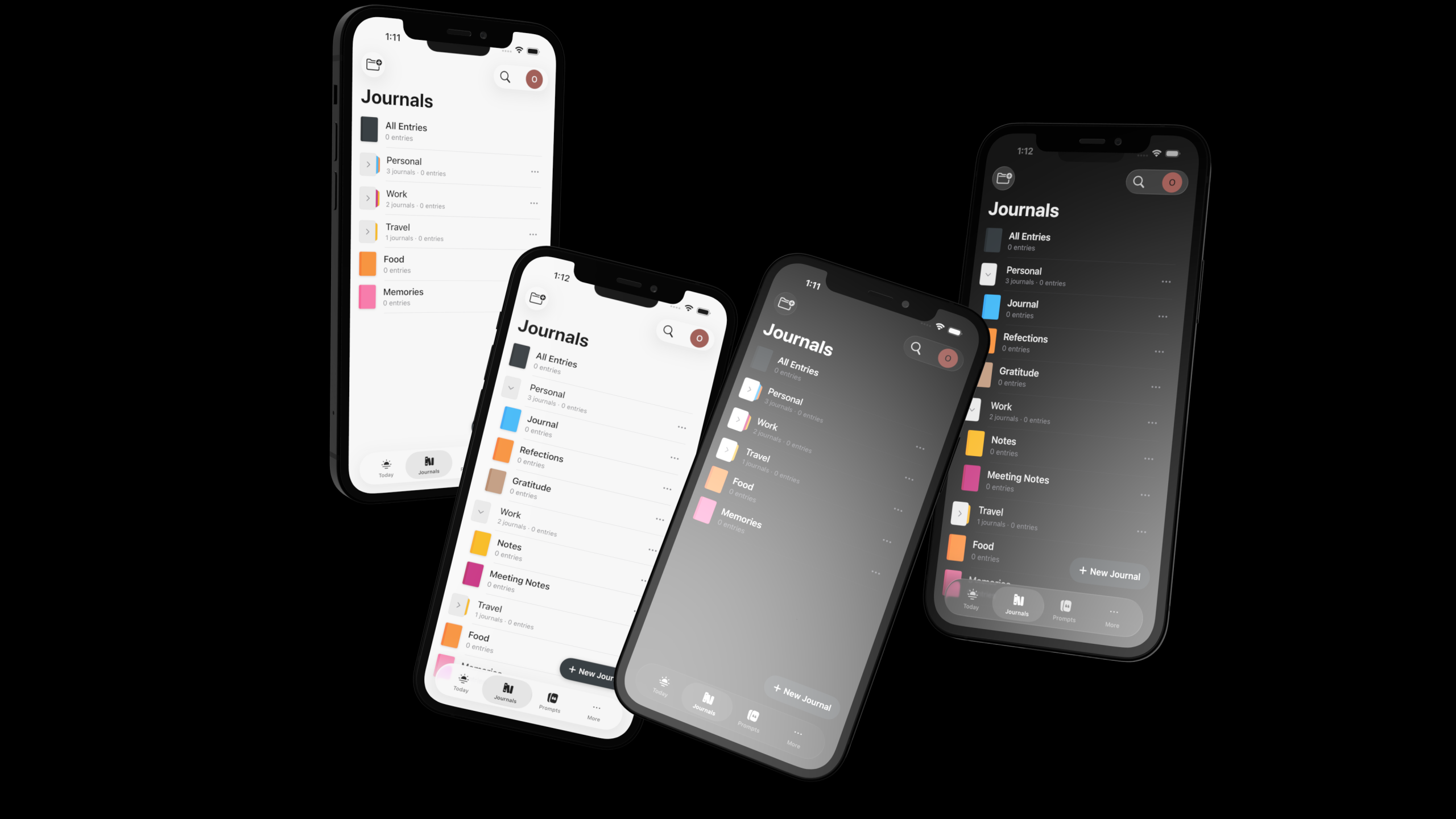
- Collapsible Interface: To reclaim screen real estate, users can collapse or expand these collections. This is particularly useful for users on mobile devices or smaller laptop screens where vertical space is at a premium.
- Non-Destructive Management: Journals remain independent entities. Moving a journal into a collection does not merge its entries with others, nor does it affect existing reminders or tags.
- Fluidity: Journals can be moved in and out of collections at any time, allowing for a dynamic system that changes alongside the user’s life. If a project ends, that journal can be moved to an "Archive" collection; if a new hobby begins, a new journal can be added to an "Active" collection.
Implementation and Deployment
The rollout of Journal Collections follows a deliberate, multi-platform strategy. Recognizing that users engage with Day One across vastly different hardware environments—from the high-fidelity desktop experience on macOS to the quick-capture nature of an iPhone—the implementation is designed to feel native to each ecosystem.
To get started, users simply navigate to the "Add" button located at the top of the Journals list. From there, the process is intuitive: name the collection, select the journals to be included, and rearrange the sidebar to suit personal workflows. The simplicity of this design is intentional; the goal was to avoid the "complexity trap" where the act of organizing becomes more time-consuming than the act of writing itself.
Regarding cross-platform synchronization, the update is robust. Once a collection is created on one device, the structure propagates to all other logged-in instances. This ensures that a user’s organizational system remains consistent, whether they are drafting a memory on their iPad at a café or reviewing a work log on their Windows PC at the office.
A Balanced Approach to Subscription Tiers
A notable aspect of this release is the distribution of features across subscription levels. In an era where software-as-a-service (SaaS) companies often gate entire user experiences behind premium paywalls, Day One has opted for a hybrid approach.
The ability to create, name, and manage Collections is reserved for Day One Silver and Gold subscribers. This serves as a "value-add" for the most active power users—those who likely have the highest volume of journals and, consequently, the greatest need for organizational tools.
However, the "passive" features—viewing existing collections, expanding or collapsing them, and interacting with journals already nested within them—are free for all users. This ensures that if a collaborator or family member shares a journal within a collection, the recipient is not barred from accessing their content. It is a calculated move that maintains the app’s accessibility while rewarding those who invest in the platform’s long-term development.
Technical Limitations and Future Roadmaps
As with any significant software update, there are nuances to consider regarding the current state of the feature.
- Platform Disparity: While iOS, iPadOS, Android, and macOS fully support the creation and management of collections, the web and Windows versions are currently in a transition phase. On these platforms, collections are visible, but the ability to create or manage them is still being deployed. Users on these platforms should anticipate upcoming updates to bridge this functionality gap.
- Non-Nested Hierarchy: A critical design choice made by the development team was the prohibition of "nested" collections (a collection within a collection). While some power users might desire deep, tree-like folder structures, Day One has explicitly avoided this. Their research suggests that deep nesting often leads to "lost data," where users forget where they filed specific journals. By keeping the hierarchy to a single level, the app maintains a "shallow" interface that remains easy to navigate at a glance.
- Sync State: The "collapse state" of a collection—whether it is open or closed—is currently localized to each device. For instance, a user might want their "Work" collection expanded on their Mac but collapsed on their iPhone. The app respects this individual preference, allowing for a personalized view that caters to the specific context of the device being used.
Implications for the Journaling Community
The release of Journal Collections marks a maturation point for Day One. It reflects a deeper understanding of how long-term users—some of whom have been documenting their lives on the platform for over a decade—actually interact with their data.
For many, the journal is not just a digital diary; it is a repository of personal history. As these histories grow, the psychological weight of an unorganized archive can be significant. By providing the tools to "clean up" the sidebar, Day One is effectively lowering the cognitive load required to start a new entry. It is a psychological nudge, encouraging users to return to the page more frequently by making the process of finding the right journal seamless and satisfying.
Furthermore, the feature underscores the importance of "calm technology." In a digital landscape dominated by notifications, infinite feeds, and constant interruptions, a tool that allows for silent, structured, and private reflection is increasingly valuable. By enabling users to collapse the "noise" of their many journals, Day One is prioritizing mental clarity.
As Day One continues to evolve, the introduction of Collections sets a precedent for future updates: prioritizing user autonomy and visual simplicity over feature bloat. For those who have reached a breaking point with their sidebar, this update offers a welcome return to order—a digital desk cleaned, organized, and ready for the next entry.