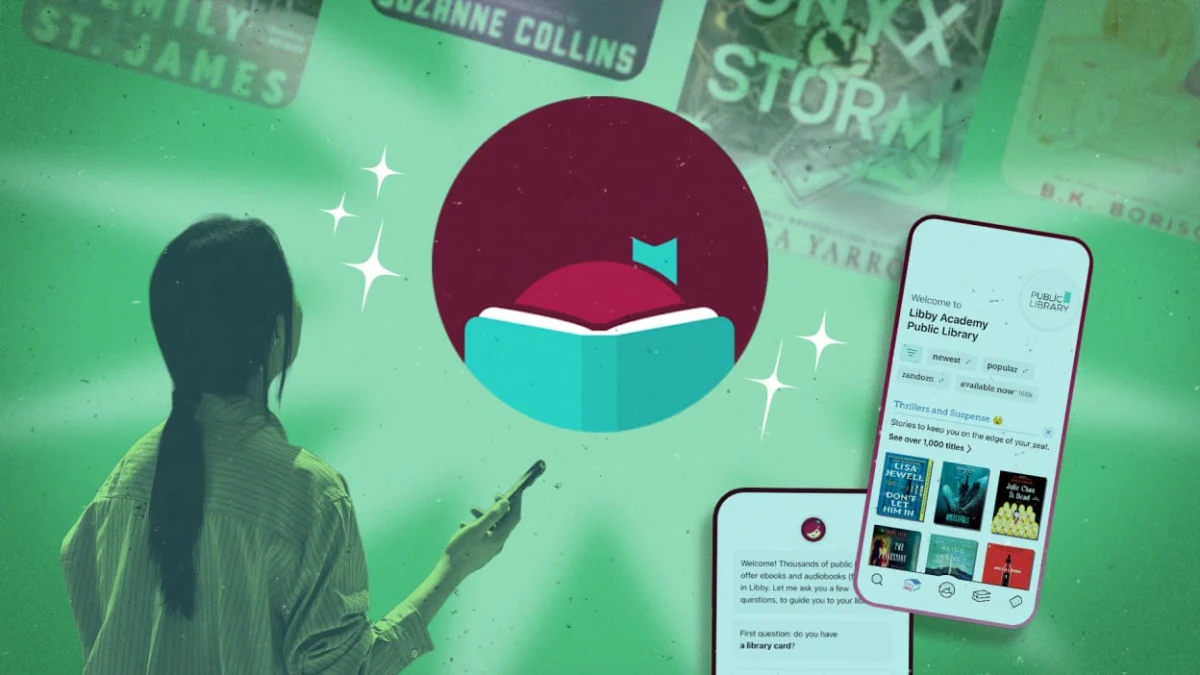
In an era where digital subscriptions dominate our monthly expenses, the Libby app stands as a quiet revolution in the world of personal media. Developed by OverDrive, Libby serves as the primary interface connecting millions of users to their local public library systems. By leveraging your existing library card, you gain instantaneous, free access to an expansive digital catalog encompassing e-books, audiobooks, and magazines.
However, many casual users barely scratch the surface of what the application can do. Whether you are a dedicated bibliophile looking to optimize your reading list or a student attempting to manage complex academic research materials, mastering the hidden features of Libby can transform it from a simple reader into a sophisticated personal library management tool.
The Evolution of the Digital Library: A Brief Chronology
The concept of the public library has remained remarkably consistent for centuries, but the delivery mechanism underwent a seismic shift in the early 21st century.
- 2003: OverDrive begins partnering with public libraries to provide digital lending services, effectively digitizing the traditional library card experience.
- 2011: The rise of e-readers and tablets creates a surge in demand for digital lending, leading to more robust catalog integrations.
- 2017: OverDrive launches the Libby app. Designed with a user-centric focus, it prioritizes ease of navigation, high-contrast readability, and seamless syncing across devices.
- 2023–2026: Libby undergoes significant infrastructure updates, integrating advanced search algorithms, "Notify Me" smart tags, and expanded compatibility with third-party platforms like Kindle and Goodreads, solidifying its status as the industry standard for digital library lending.
Strategic Access: Maximizing Your Catalog
One of the most common misconceptions among new users is that they are tethered to a single library system. In reality, Libby is designed for the modern, multi-connected reader.
Leveraging Multiple Library Systems
You are not restricted to the library system associated with your primary residence. Many users belong to multiple library districts—perhaps through work, school, or secondary residency—and Libby allows you to aggregate these accounts into one interface. By navigating to Menu > Add Library, you can search by zip code or name. Once linked, you can toggle between your libraries to compare wait times and availability. If one system has a six-month wait for a bestseller, another system might have it ready for immediate download.
The "Skip-the-Line" Advantage
To mitigate the frustration of long waitlists for popular titles, many libraries utilize the "Skip-the-Line" program. These copies are specifically designated for first-come, first-serve borrowing. They cannot be placed on hold or renewed, ensuring high turnover. You can identify these titles by the shamrock icon in the search results, or by applying the "Skip-the-Line" filter under your search settings.
Advanced Management Techniques
Once you have populated your digital shelves, the challenge shifts from finding books to organizing your reading journey.
Mastering the Tagging System
Libby’s tagging feature is arguably its most underutilized organizational tool. Beyond simple "Read" or "To-Read" lists, users can create custom tags for specific genres, research topics, or annual challenges. To create a new list, go to Tags > Actions > New Tag. Once created, you can bulk-assign titles to these lists. When it comes time to choose your next read, filtering by these tags provides a curated experience tailored to your specific mood or requirement.
The "Notify Me" Smart Tag
For those tracking new releases, the "Notify Me" smart tag is indispensable. When searching for a book that your library does not yet own, the app will prompt you to create a "Notify Me" tag. This acts as an automated request system; as soon as the library acquires that title, you receive a push notification. This ensures you are among the first in line for anticipated releases.

Optimizing the Reading Experience
The technical nuances of how you consume content can significantly impact your efficiency and enjoyment.
Managing Storage and Data
Audiobooks, while convenient, are data-intensive. Users with limited device storage should navigate to Menu > Settings > Download Rules. Here, you can configure the app to download only titles under a certain size (e.g., 20 MB) or restrict downloads to Wi-Fi only, effectively preventing unexpected cellular data overages.
The Kindle Workaround: An Analysis
For Kindle users, the integration between Libby and Amazon is seamless, but it comes with limitations. Libby automatically returns items at the end of the loan period. While there is no official "extension" button, power users have long utilized Airplane Mode to finish a title after the due date. While this works by preventing the device from "phoning home" to the server, it is important to note that newer Kindle firmware updates are increasingly closing this loop. As an alternative, many readers now simply manage their reading speed by checking the "Estimated Time to Finish" feature found in the app’s reading view.
Implications for Readers and Libraries
The rise of sophisticated digital lending has significant implications for both the publishing industry and the public sphere.
Data Privacy and Personal Records
One of the most vital aspects of the "Reading Journey" feature is the ability to export your data. By navigating to Shelf > Timeline > Actions > Export, you can maintain a personal database of your reading history. This is particularly useful for those who use Goodreads or Notion to track their progress. Because library privacy laws are stringent, the app does not store your history indefinitely unless you opt into the timeline feature, ensuring that your personal reading habits remain confidential.
Bridging the Knowledge Gap
The democratization of information is the core mission of the public library. Libby serves as the primary bridge, removing physical barriers like travel time and operating hours. By allowing users to place holds, suspend them if they aren’t ready, and curate their own digital archives, the app empowers users to take an active role in their own intellectual development.
Official Guidance and Best Practices
According to official documentation from OverDrive, the best way to ensure a smooth experience is to keep the app updated to the latest version. Libraries constantly update their metadata, and syncing issues are almost always resolved by a quick check of the "Manage Loans" section.
Furthermore, the "Suspend" feature is a critical tool for those with long hold lists. If you have five books arriving simultaneously, you can choose to suspend your hold on four of them. You retain your position in the queue, but the system skips over you until you reactivate the hold, allowing you to pace your reading without feeling overwhelmed by an influx of digital deadlines.
Conclusion
Libby is far more than a digital checkout counter; it is a powerful tool for information management. By utilizing multi-card integration, strategic tagging, and efficient notification systems, readers can transform their interaction with the public library. In an age where attention is the most valuable currency, having a curated, accessible, and organized library at your fingertips is an essential advantage. Whether you are seeking the latest bestseller or deep-diving into academic research, the tools to manage your digital life are already sitting in your pocket, waiting to be activated.