As the holiday season approaches, parents are increasingly looking for tech-forward gifts that bridge the gap between creative play and STEM education. The 3D printing market, once reserved for hobbyists with a penchant for tinkering and troubleshooting, has seen a surge in "child-friendly" iterations. Enter the Ugee Funbox, a compact, aesthetically pleasing machine designed specifically to demystify additive manufacturing for the younger demographic.
But does this "toy-like" printer actually deliver, or is it just another piece of plastic destined for the landfill? We put the Funbox to the test to determine if it is a worthy introduction to the world of 3D design or merely a glorified, high-maintenance novelty.
Main Facts: A Kid-Centric Approach to Additive Manufacturing
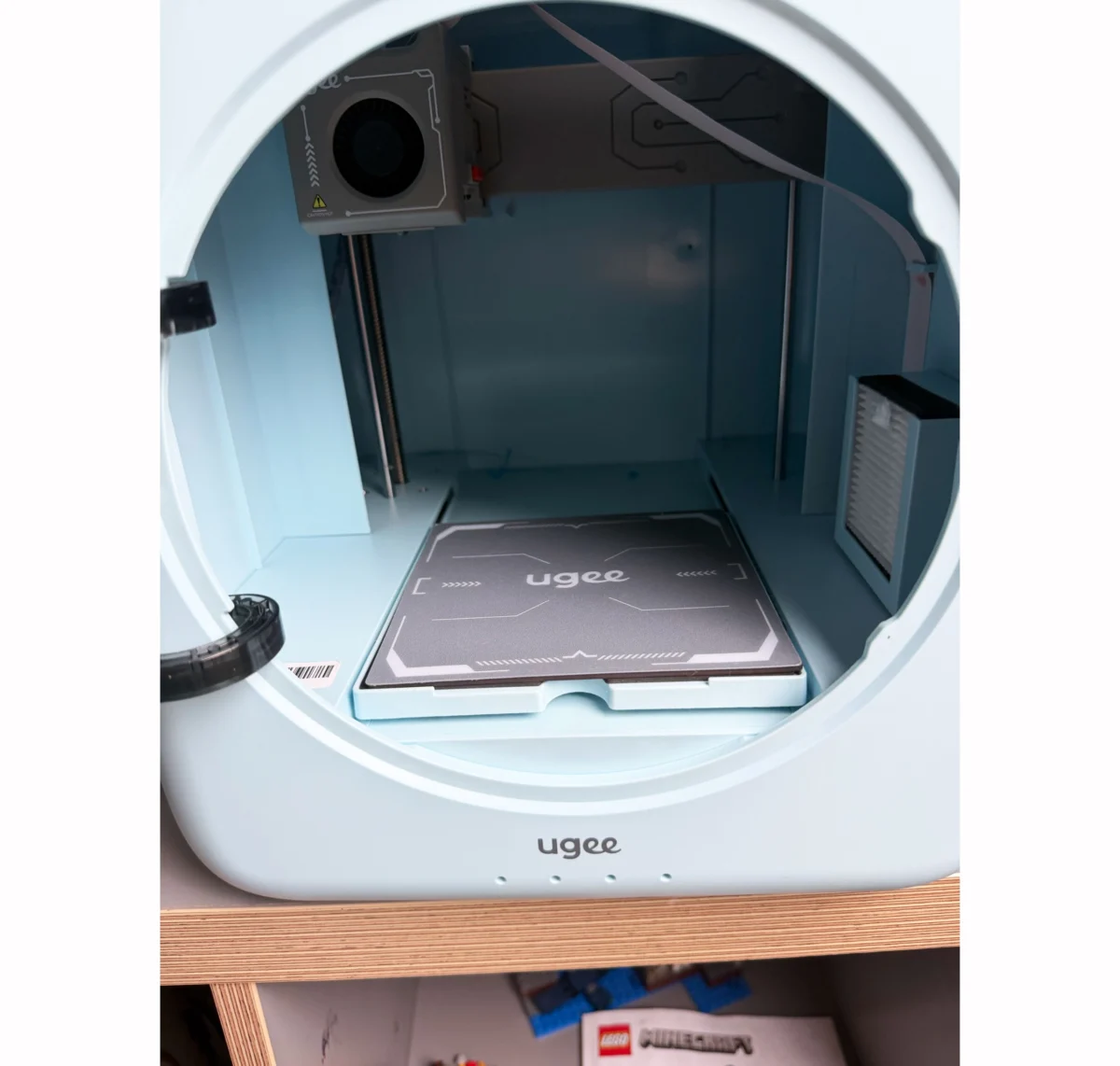
The Ugee Funbox distinguishes itself from the industrial-looking "prosumer" printers on the market through its design philosophy. It is an enclosed, lightweight unit that prioritizes safety, portability, and simplicity.
Key Specifications:
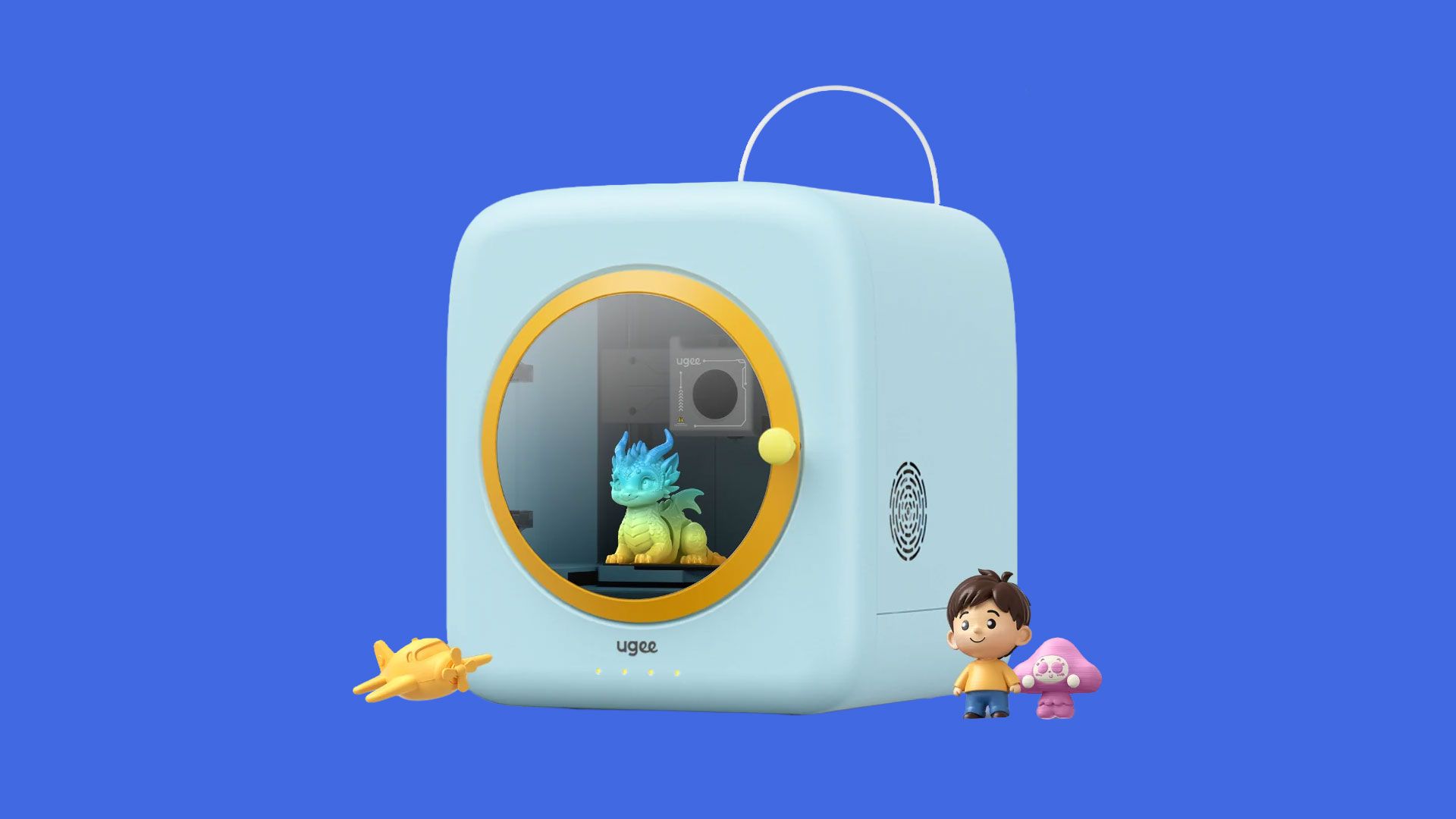
- Safety Features: Fully enclosed chamber, integrated air filtration system, and anti-scald protection.
- Interface: App-based control, allowing for "one-tap" printing.
- Customization: A playful, baby-blue chassis that arrives with a sticker pack, encouraging personalization.
- Connectivity: Mobile/Tablet app integration with a built-in marketplace for models.
- Monitoring: Live-view camera functionality for remote observation of print progress.
At a price point of $299 (often retailing around $279/£289), the Funbox enters a competitive space. While it lacks the sheer power and build volume of professional machines, it offers a "plug-and-play" experience that is rare in the 3D printing world. However, this ease of use comes at the cost of print complexity and size limitations.
Chronology: The Testing Experience
Our testing process began with the unboxing and setup, which was surprisingly efficient. Over the course of several days, we moved from assembly to trial-and-error experimentation.
Phase 1: Setup and Calibration
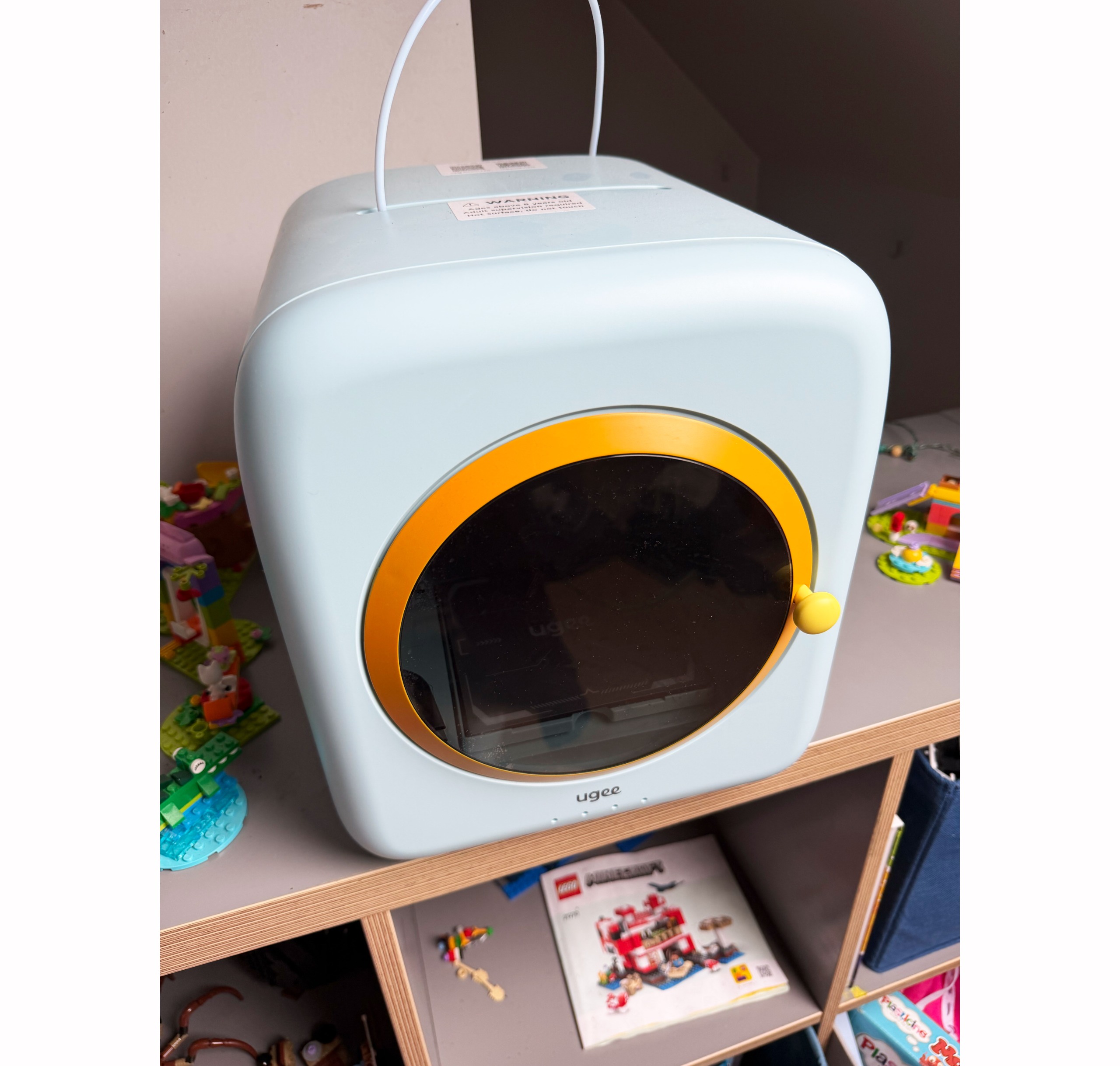
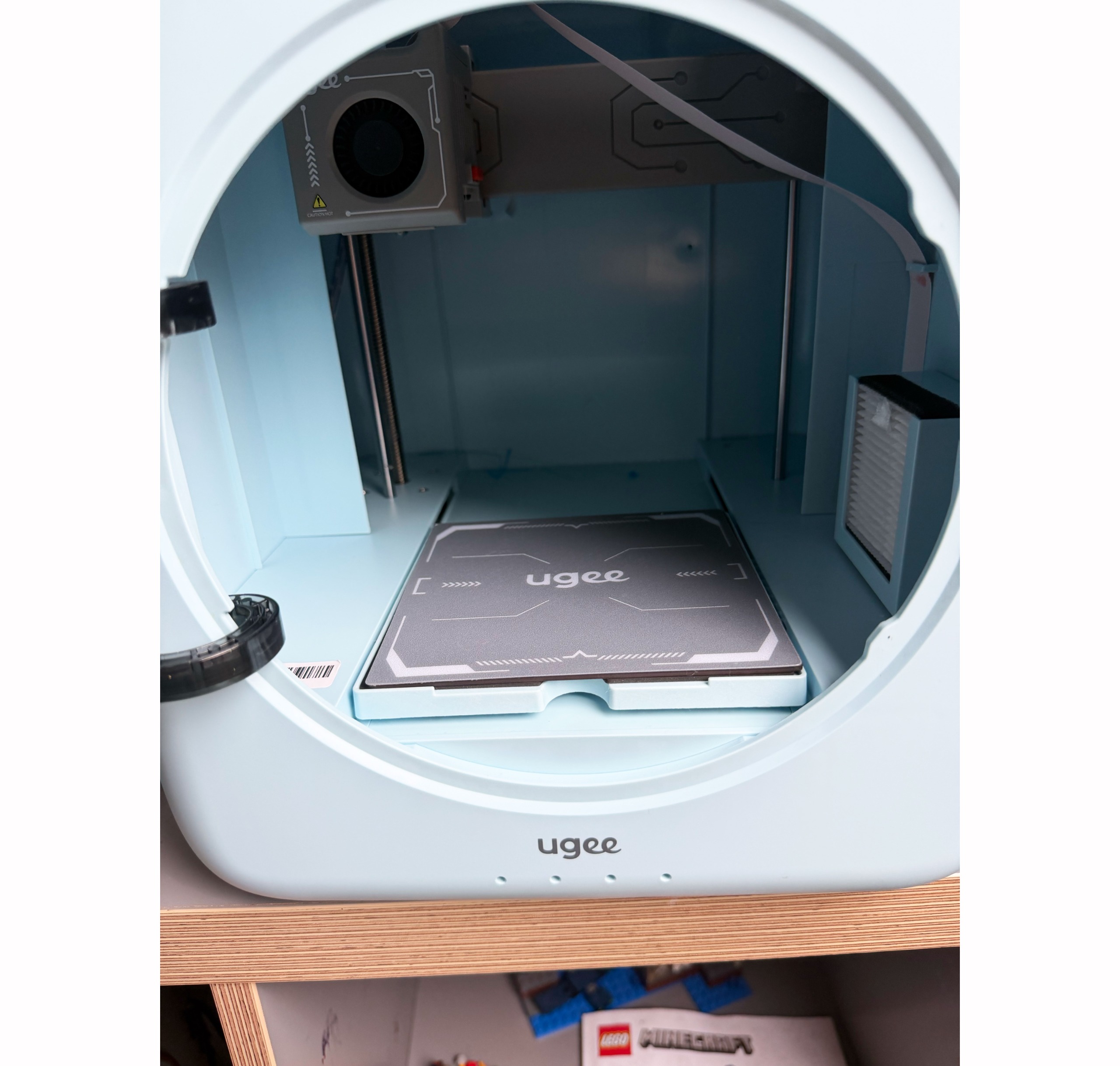
The physical setup was refreshingly brief, taking approximately 20 minutes from box to first print. The machine is well-labeled, though we did encounter a minor user error: failing to secure the build plate initially. Once rectified, the machine operated with minimal fuss.
Phase 2: The Software Struggle
The most significant hurdle was not the hardware, but the accompanying software. While the Funbox app is intended to make printing accessible, it proved glitchy on certain devices. For instance, on a Huion tablet, the "Start" button was rendered unreachable due to the tablet’s notch design, with no interface scaling options to resolve it. This forced a migration to a mobile phone, which disrupted the goal of allowing the child to operate the device independently without parental assistance.
Phase 3: Printing Real-World Objects
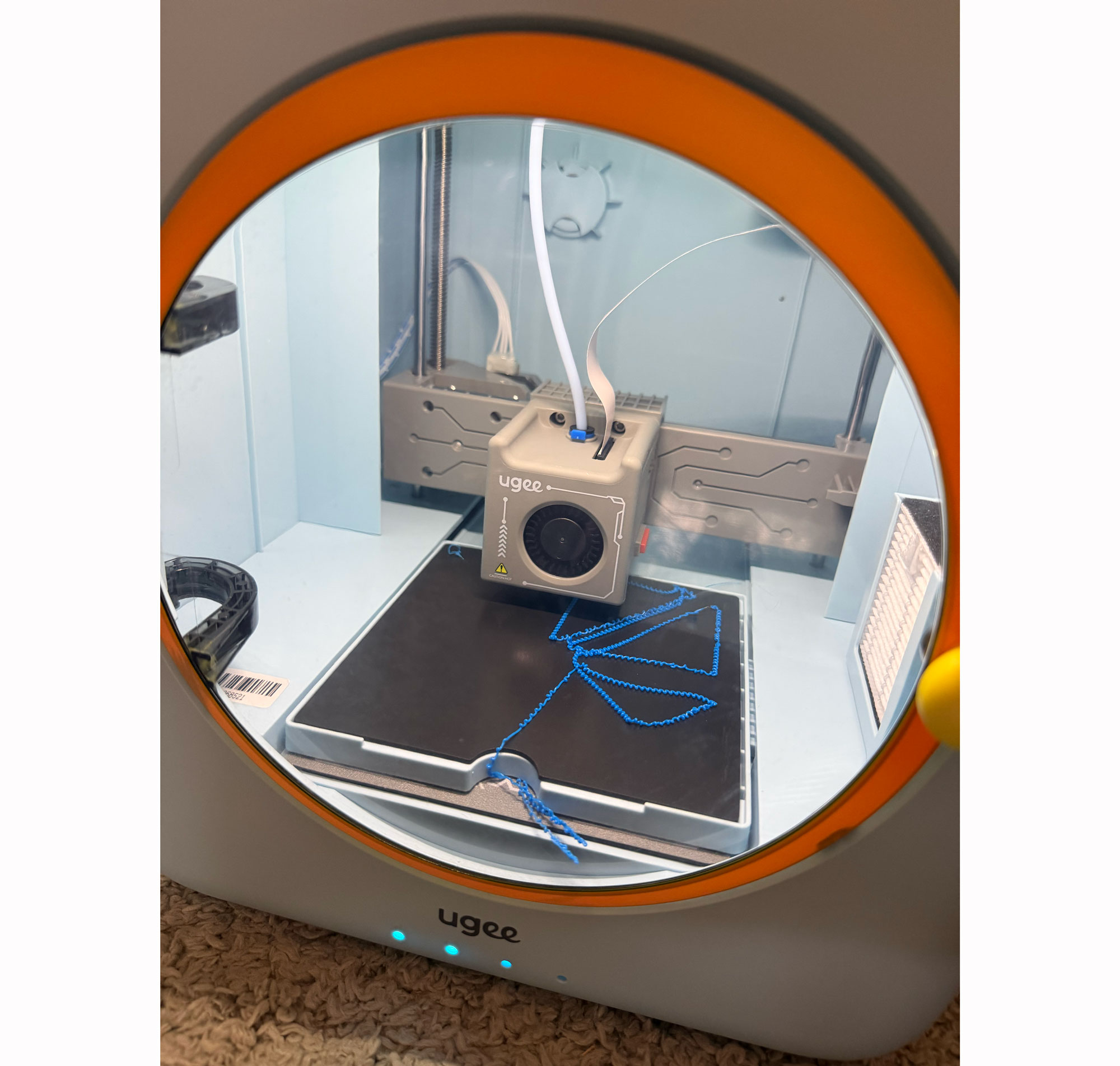
We moved on to printing a variety of items: hair combs, decorative slides, and phone stands. Simple, single-piece designs performed exceptionally well, showcasing clean lines and high levels of detail. However, functional items—specifically multi-part fidget toys—often failed to operate as intended. We observed that some prints were either too brittle or lacked the structural integrity required for moving parts, highlighting the limitations of the machine’s extrusion capabilities.
Supporting Data: Understanding the Trade-offs
When evaluating a printer for children, one must balance "autonomy" against "quality." Our testing highlights a clear dichotomy:
- The Case for Autonomy: The Funbox is genuinely accessible. After minimal guidance, a nine-year-old was able to navigate the library and initiate prints. The ability to watch the print progress via the in-app camera kept the user engaged and provided a real-time lesson in how 3D objects are constructed.
- The Limitations of Scale: The build volume is objectively small. Many complex designs simply cannot be printed in one go. While the printer encourages modular construction, this requires extra effort from the user to assemble parts post-print.
- Third-Party Reliability: A major concern is the variance in design quality. Ugee’s internal library is reliable, but the third-party marketplace is a "wild west" of designs. Some files are clearly not optimized for a machine of this scale, leading to wasted filament and frustration.
Official Responses and Industry Context
While Ugee has marketed the Funbox as an educational tool, the industry consensus remains divided. Manufacturers of "adult" printers, such as Bambu Lab, emphasize that 3D printing is inherently a technical discipline. By abstracting away the "slicing" and "calibration" processes, the Funbox removes the frustration, but it also removes the learning opportunity associated with those tasks.
Ugee’s positioning suggests they are targeting the "toy" market—competing with high-end building sets rather than workshop equipment. This strategy effectively lowers the barrier to entry, but it leaves a "knowledge gap" for children who might eventually want to transition to more sophisticated, higher-precision 3D printing.
Implications: Who is this for?
The ultimate question is: Is it worth the investment?
The Verdict for Younger Children (Ages 6–8)
For younger children, the Funbox is an excellent choice. Its safety features—specifically the enclosure and anti-scald design—provide peace of mind for parents. The, "it just works" nature of the machine provides instant gratification, which is crucial for maintaining interest at this age.
The Verdict for Older Children (Ages 9–12)
If your child is in the upper age bracket and shows a genuine interest in engineering or design, you may want to reconsider. At this price point, you are approaching the cost of entry-level, "grown-up" printers like the Bambu Lab A1. While these machines have a steeper learning curve, they offer far superior print quality, faster speeds, and a more robust ecosystem. For an older child, the frustration of learning a more complex machine is an investment in a skill set that will last a lifetime.
The "Creative Bloq" Perspective
The Ugee Funbox is a successful entry-level product, but it is not a "serious" tool for makers. Its design is impeccable, and its commitment to safety is commendable. However, users should be prepared for the reality of small-scale printing: it is best suited for small, decorative items rather than complex, functional mechanics.
Final Thoughts: A Stepping Stone, Not a Destination
The Funbox is a captivating piece of hardware that successfully lowers the barrier to entry for one of the most exciting fields in modern technology. It turns the home into a miniature factory, capable of producing custom toys, accessories, and artistic creations.
However, parents should manage expectations. You are buying a starter kit. If your child remains interested in 3D printing after the novelty of the Funbox wears off, you will eventually find yourself looking for an upgrade. For now, the Funbox provides a fun, safe, and relatively simple way to explore the possibilities of additive manufacturing, provided you understand the constraints of the technology.
Summary of Recommendations:
- Buy it if: You want a safe, easy-to-use gift for a younger child who wants to see their digital designs come to life.
- Skip it if: You are looking for a high-performance machine for complex projects or if the intended user is a teenager ready for a more challenging, "pro-level" experience.
As we continue to test the AI-powered model builder—a feature that allows children to transform hand-drawn sketches into 3D prints—we will update our findings. That feature alone could be the "killer app" that justifies the price for creative families, turning the Funbox from a simple printer into a true digital art studio.