For the millions of users tethered to the Apple ecosystem, iCloud is often viewed as a background utility—a digital ghost that periodically asks for more money to store photos and backups. However, for those who take the time to navigate its sophisticated suite of tools, iCloud is far more than simple storage. It is a robust digital architecture designed to streamline productivity, protect privacy, and manage the inevitable legacy of a digital life.
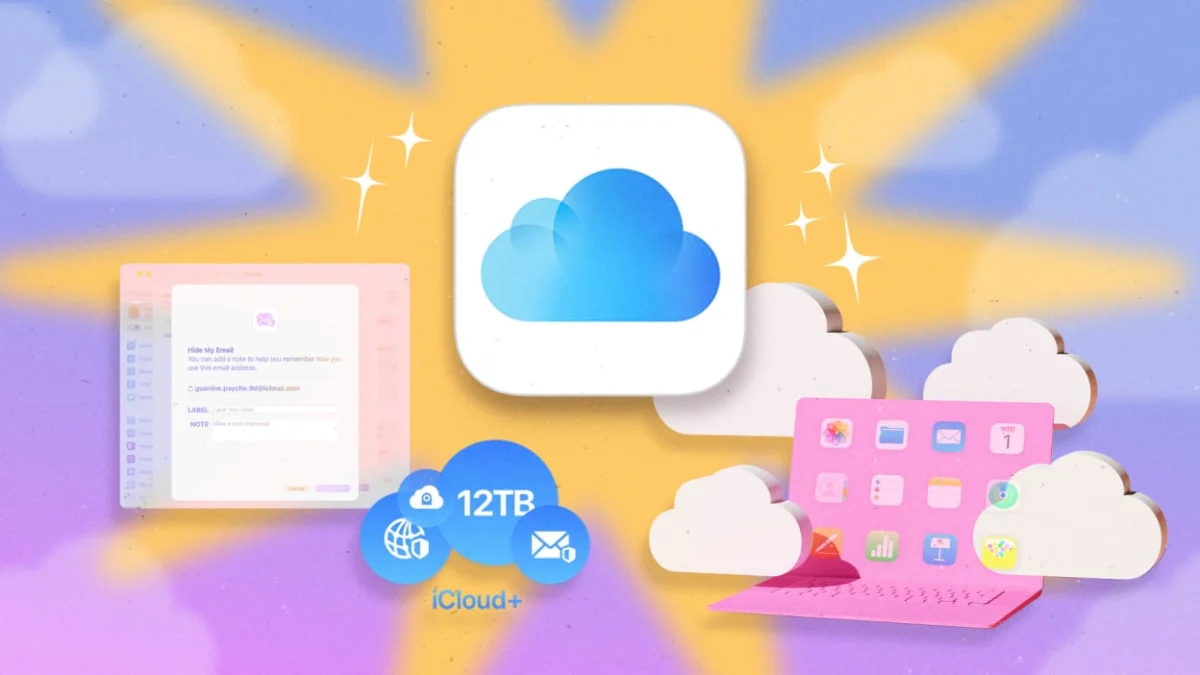
Whether you are a casual user utilizing the free 5GB tier or a power user maximizing a 12TB iCloud+ plan, understanding the nuances of Apple’s cloud services can fundamentally change how you interact with your hardware. Here is a deep dive into the capabilities, strategic management, and long-term implications of mastering your iCloud environment.
Main Facts: What iCloud Actually Does
At its core, iCloud is a synchronization and backup engine. It ensures that your data—from browser tabs to complex photo libraries—remains consistent across your iPhone, iPad, Mac, and even your web-based interfaces.
Beyond simple syncing, iCloud acts as a security layer. Through features like Hide My Email and Custom Email Domains, Apple has shifted the utility of the cloud from passive storage to active identity management. Furthermore, the service has evolved to become a collaborative platform, allowing for shared photo libraries and sophisticated family-sharing models that consolidate costs while maintaining individual data privacy.
A Chronological Evolution of iCloud Utility
To understand where iCloud is today, one must look at its rapid maturation over the last decade:
- The Early Years (2011–2015): iCloud launched as a replacement for MobileMe, focusing primarily on "push" synchronization for mail, contacts, and calendars. Storage was limited, and user control was minimal.
- The Integration Phase (2016–2020): Apple introduced deeper integration with macOS and iOS. Features like iCloud Drive became a true file-management system, and the introduction of Family Sharing allowed for shared storage buckets, setting the stage for the current subscription model.
- The Privacy & Collaboration Era (2021–Present): Apple pivoted toward security-first features. The introduction of iCloud+ brought "Hide My Email," Private Relay, and custom domain support. Most recently, with iOS and macOS 27, Apple broke down the "walled garden" barriers, allowing Windows and Android users to participate in Shared Albums, signaling a more interoperable future.
Supporting Data: Optimizing Your Digital Footprint
Managing your storage is not just about clearing space; it is about data hygiene. Many users face the "Storage Full" notification daily, but the solution rarely involves paying for more space immediately.
Granular Backup Control
The most effective way to manage iCloud storage is to stop treating it as a "set it and forget it" service. By navigating to Settings > [Your Name] > iCloud > Storage > Backups, users can audit exactly which applications are consuming their data. Often, third-party apps store cache files that serve no purpose in a cloud backup. By disabling these at the app level, you can preserve your storage for what truly matters: high-resolution photos and critical system files.
The "Recommended For You" Strategy
Apple’s "Recommended For You" tab is an underutilized goldmine. It categorizes data into actionable buckets:
- Duplicate Media: Automatically identifies identical photos, which often account for 5–10% of total storage usage.
- Large Attachments: Filters out massive video files sent via iMessage years ago that remain archived in your cloud footprint.
- Inactive Backups: Cleans up remnants of old devices that you no longer own but are still paying to host in the cloud.
Official Responses and Security Implications
Apple has consistently positioned iCloud as a privacy-centric service. Their official stance on end-to-end encryption—particularly through "Advanced Data Protection"—means that for most categories of data, even Apple cannot access your information.

However, this places the burden of recovery on the user. If you lose your recovery key, your data is effectively gone. This is why the Legacy Contact feature is so vital. It allows you to designate a trusted individual to receive an access key. Upon your passing, and with the submission of a death certificate, this individual can gain access to your digital life. This is a critical, yet often overlooked, aspect of estate planning in the 21st century.
Practical Applications for Modern Users
1. Business and Family Email Management
The ability to use a Custom Email Domain is a game-changer for freelancers and families. Instead of using a generic @icloud.com address, you can link your own domain (e.g., [email protected]). By enabling the "Allow All" feature, you ensure that even if someone mistypes your email address, the message will still reach your inbox.
2. The Power of "Hide My Email"
We live in an era of data harvesting. Every newsletter sign-up or retail purchase is a potential vector for spam. By using random, unique aliases for every service, you can instantly trace which companies are selling your data. If an alias starts receiving spam, you can deactivate it with a single tap, effectively "turning off" the breach without changing your primary email.
3. Professional-Grade Collaboration
The Shared Photo Library feature is no longer just for families. For professionals working on site-specific projects—such as architects, interior designers, or event coordinators—it serves as a real-time, collaborative tool. With Bluetooth-enabled proximity sharing, a team can aggregate photos from multiple devices into a single, synchronized library instantly, eliminating the need for manual uploads or third-party file transfer services.
4. Large-Scale File Sharing for Non-Apple Users
For years, the "blue bubble" vs. "green bubble" divide made sharing large files with Android or Windows users a nightmare. By using iCloud Web Links, you can share folders or high-resolution videos via a secure URL. The recipient does not need an Apple ID to view or download the files. This is particularly useful for sending raw video footage or high-resolution design assets to clients who operate on Windows environments.
The Road Ahead: Why Maintenance Matters
As Apple continues to expand the storage tiers—now reaching up to 12TB—the temptation is to let your iCloud become a digital "junk drawer." However, as your data grows, so does the risk of data rot, security breaches, and subscription bloat.
By applying these tips—auditing app-level backups, leveraging custom domains, and establishing legacy contacts—you transition from a passive subscriber to a proactive manager of your digital estate. iCloud is not merely a place where your files go to rest; it is the infrastructure that connects your professional and personal lives. Treating it with the same care as you would a physical filing cabinet or a bank vault will ensure that your digital footprint remains secure, organized, and accessible for years to come.
As we move toward the next iteration of iOS and macOS, the integration between hardware and cloud will only deepen. Those who master these tools today will find themselves far better equipped to navigate the increasingly complex landscape of personal computing. Don’t wait for an "Out of Storage" alert to take control. Start auditing your cloud environment today, and treat your digital identity with the security and precision it deserves.