
By [Your Name/Editorial Staff]
Disclosure: We may earn a commission from links on this page.
For years, the promise of offline mapping on a wearable device was a luxury reserved for the elite adventurer. Whether you were traversing remote mountain ranges or simply navigating a new city’s labyrinthine running paths, the ability to glance at your wrist and see a detailed, topographical map was a feature that typically commanded a four-figure price tag.
However, the landscape of sports technology is shifting. As component costs stabilize and software optimization improves, manufacturers are finally trickling down premium navigation features into mid-range and entry-level devices. This evolution means that the “breadcrumb” era—where users were limited to a solitary line on a blank screen—is rapidly coming to an end.
The Taxonomy of Navigation: Understanding Your Tech
To navigate the current market, it is vital to distinguish between three levels of spatial technology. Misunderstanding these can lead to frustration when a runner discovers their new watch lacks the specific guidance they expected.

GPS Tracking: The Foundational Data
At the entry level, we have GPS (or GNSS) tracking. This is the industry standard for modern sports watches. A watch equipped with a GPS chipset communicates with orbital satellites to record your location, speed, and distance. While this is essential for tracking performance metrics, it does not provide real-time guidance. The "map" you see on your phone after a workout is a post-hoc reconstruction—a visual overlay generated by your smartphone or web app using internet-derived map data.
Breadcrumb Navigation: The Digital Trail
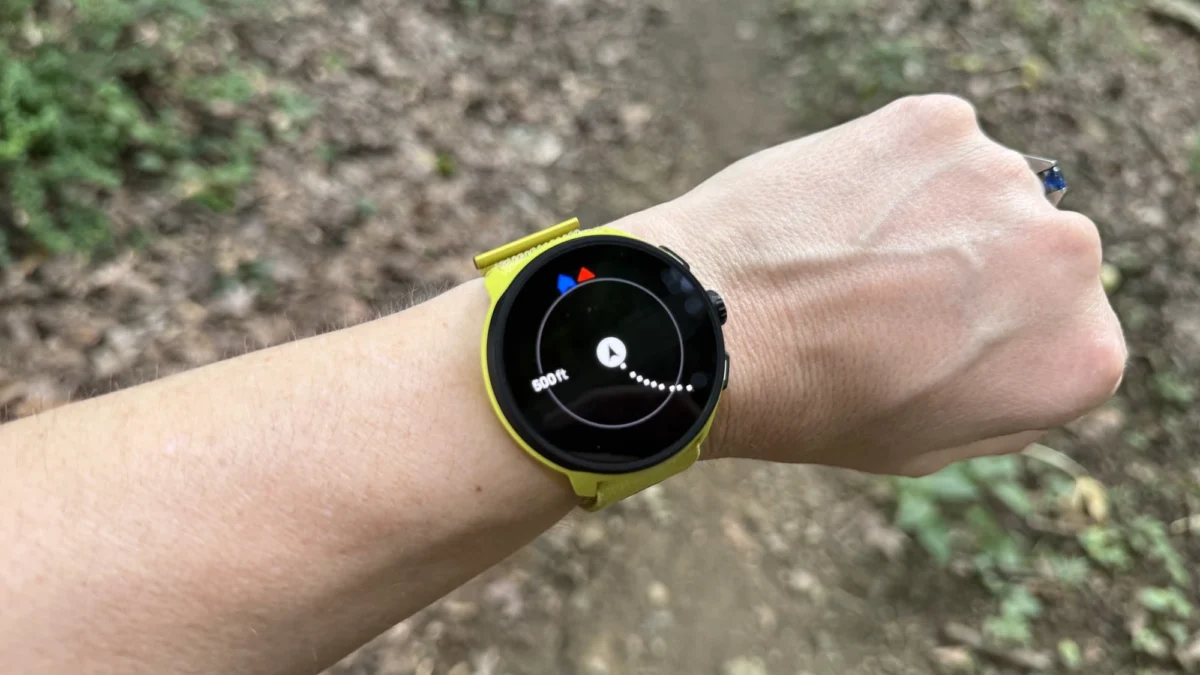
Moving up, we find breadcrumb navigation. This technology allows a watch to record where you have been in real-time, displaying your path as a single line against a void. Many devices allow you to upload a pre-determined GPX course, which appears as a secondary line. While effective for staying on a known trail, this method lacks context. It cannot tell you if the trail you are on intersects with a major road or leads toward a dead-end, as it remains ignorant of the physical geography surrounding your path.
Offline Maps: The Contextual Advantage
This is the gold standard. A watch with true offline mapping stores vector-based or raster map data directly on its internal memory. When you look at your screen, you aren’t just seeing a line; you are seeing the world around you—highways, creek crossings, topographical contours, and points of interest. These maps are invaluable for decision-making in the field. When a trail forks, a map-enabled watch shows you exactly which path follows the ridgeline and which descends into a valley.
A Brief Chronology of Mapping Technology
The transition from specialized hiking computers to integrated sport watches has been a decade-long journey of miniaturization.

- 2012–2015: The "Breadcrumb Era." Early dedicated running watches focused exclusively on pacing and heart rate. Navigation was limited to simple "back to start" arrows.
- 2016–2019: The "Premium Influx." High-end outdoor watches like the Garmin Fenix series introduced full-color mapping, but at a significant cost, often exceeding $700–$1,000.
- 2020–2022: The "Storage Expansion." As storage costs dropped, watches gained the capacity to hold regional map files, but this remained restricted to flagship models.
- 2023–Present: The "Democratization." Software-defined features have allowed mid-range and budget brands to introduce offline maps via firmware updates, effectively killing the "premium-only" barrier to entry.
Evaluating the Top Contenders
We have road-tested current models from the leading manufacturers to determine which devices offer the best balance of price, performance, and mapping utility.
The Gold Standard: Garmin Forerunner 970 ($750)
Garmin remains the heavyweight of the industry, and the Forerunner 970 is the current pinnacle for those who prioritize mapping performance. Its maps are crisp, detailed, and highly responsive. Because Garmin has spent years perfecting its map rendering, the 970 offers features like "Trendline Popularity Routing," which helps you find the most-traveled paths in an unfamiliar city. While the $750 price point is significant, you are paying for the polish, the longevity of the Garmin ecosystem, and hardware inclusions like a built-in flashlight.
The Disruptor: Coros Pace 4 ($249)
The Coros Pace 4 represents a seismic shift in the market. By introducing offline maps via a post-launch software update, Coros transformed its entry-level workhorse into a legitimate backcountry tool. The trade-off here is hardware constraints; because the device has limited storage compared to the Garmin flagship, you cannot download a map of the entire country. Instead, you manage regional tiles. For most users, this is a negligible inconvenience. If you need a watch that excels at the basics and can guide you through a new trail system, the Pace 4 is arguably the best value in the industry.
The Mid-Range Choice: Suunto Run 2 ($399) and Race 2 ($499)
Suunto has long been favored by mountain athletes for their durable hardware and intuitive UI. The Run 2 and Race 2 models offer a compelling middle ground. Suunto’s implementation of navigation is particularly strong in its use of high-contrast, clear directional arrows, which are easier to read at a glance than the more cluttered screens of competitors. These watches are ideal for users who find Garmin’s interface too complex and want a "set-it-and-forget-it" mapping experience.

The Budget Solution: Amazfit Active Max ($170)
For the budget-conscious, the Amazfit Active Max is a testament to how far technology has come. At $170, it is nearly impossible to find a competitor with offline mapping capabilities. While the software experience lacks the refined "feel" of a high-end Garmin—with occasionally slower response times and a less polished companion app—the mapping is functional and accurate. It is a fantastic entry point for a casual runner who wants the safety net of a map without the high price tag.
The Technical Implications: Storage and Battery
When considering a map-enabled watch, you must consider the "hidden" costs: storage and battery life.
Storage Management
Map files are dense. If you intend to use your watch for music streaming (e.g., Spotify or Deezer), you will quickly find yourself fighting for space on devices with limited storage (like the Coros Pace 4). Users must get into the habit of syncing their watch with their phone while at home to rotate map regions based on where they are traveling. It is not a "set-it-and-forget-it" system; it requires proactive management.
Battery Drain
Rendering maps is computationally expensive. Running a map display during an activity will deplete your battery significantly faster than standard GPS tracking. For ultra-marathoners or long-distance hikers, it is essential to look for watches with "power-saver" mapping modes, which reduce the frame rate of the map or dim the screen when you aren’t actively interacting with the device.

Official Responses and Market Trends
Industry analysts suggest that the push toward budget mapping is a defensive move against the rise of sophisticated smartwatches like the Apple Watch Ultra. As general-purpose smartwatches continue to gain fitness features, specialized sport watch manufacturers are forced to differentiate themselves by offering high-end mapping as a standard rather than an add-on.
"The consumer is becoming more sophisticated," says one industry consultant. "Five years ago, people bought watches for step counts. Today, they buy them for the ability to explore safely. Mapping is no longer a luxury; it is becoming a safety expectation."
Final Considerations
Before purchasing, ask yourself: Where do I run?
- The Urban Runner: If you are staying within city limits, breadcrumb navigation or even simple phone-based GPS is likely sufficient.
- The Trail Enthusiast: If you venture into state parks, forests, or unfamiliar territory, a watch with offline mapping is not just a gadget; it is a piece of safety equipment.
The market has never been more favorable for the consumer. With options ranging from the $170 Amazfit to the $750 Garmin, the ability to find your way—and more importantly, find your way back—is now accessible to almost every budget. Whether you choose the reliable, polished ecosystem of Garmin or the incredible value of the Coros or Amazfit, the trail ahead is clearer than it has ever been.